Inactivate persons / employee resignation
Written By CAL
Last updated 4 months ago
In this article, you'll learn how to remove an employee from the system or set their status to inactive.
Go to More → Admin → Users → People to access the employee master data. Select the relevant employee there.
To remove the employee, enter the corresponding termination date in the employee profile.

Then adjust the following options:
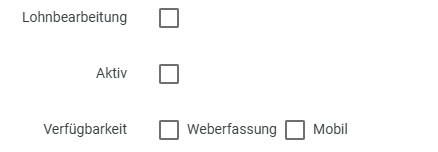
Payroll Processing – Uncheck the box once the employee’s final payroll run has been completed
Active – Uncheck this box so that the employee no longer appears in the employee selection
Web Access and Mobile (optional) – Uncheck these boxes to disable access to these areas
In the Users section, you have two options:
Remove User – The user is completely deleted. When attempting to log in, the message appears: “The username or password is incorrect.”
Locked – Access is blocked without deleting the user. When attempting to log in, the message appears: “The user has been locked. Please contact an administrator.”

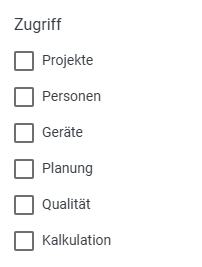
In the Access section, remove all of the employee’s activated modules.